Have questions about Codemagic? Contact Sales

What’s New

Stay up to date with the latest features, improvements, and announcements.

March 2026

Xcode 26.4 will be default starting April 26

As of April 26, 2026, we are introducing the Xcode 26.4 build machines as our new default. Additionally, Xcode latest will be switched to 26.4.

Key points:

  • If your Xcode version is set to latest or if no Xcode version is configured, then your builds will utilize the Xcode 26.4 build machine.
  • Refer to the build machine specs for details on preinstalled software and available runtimes on Xcode 26.4 machines.

Action required:

  • Please review your build configuration promptly to avoid unexpected behavior after the switch.
  • You can always set a specific Xcode version in your build settings. Configure this in the Build section of the Flutter workflow editor or the environment section of codemagic.yaml.

If you have any questions or concerns, don't hesitate to get in touch with us.

See the build machine specs

Improved app navigation

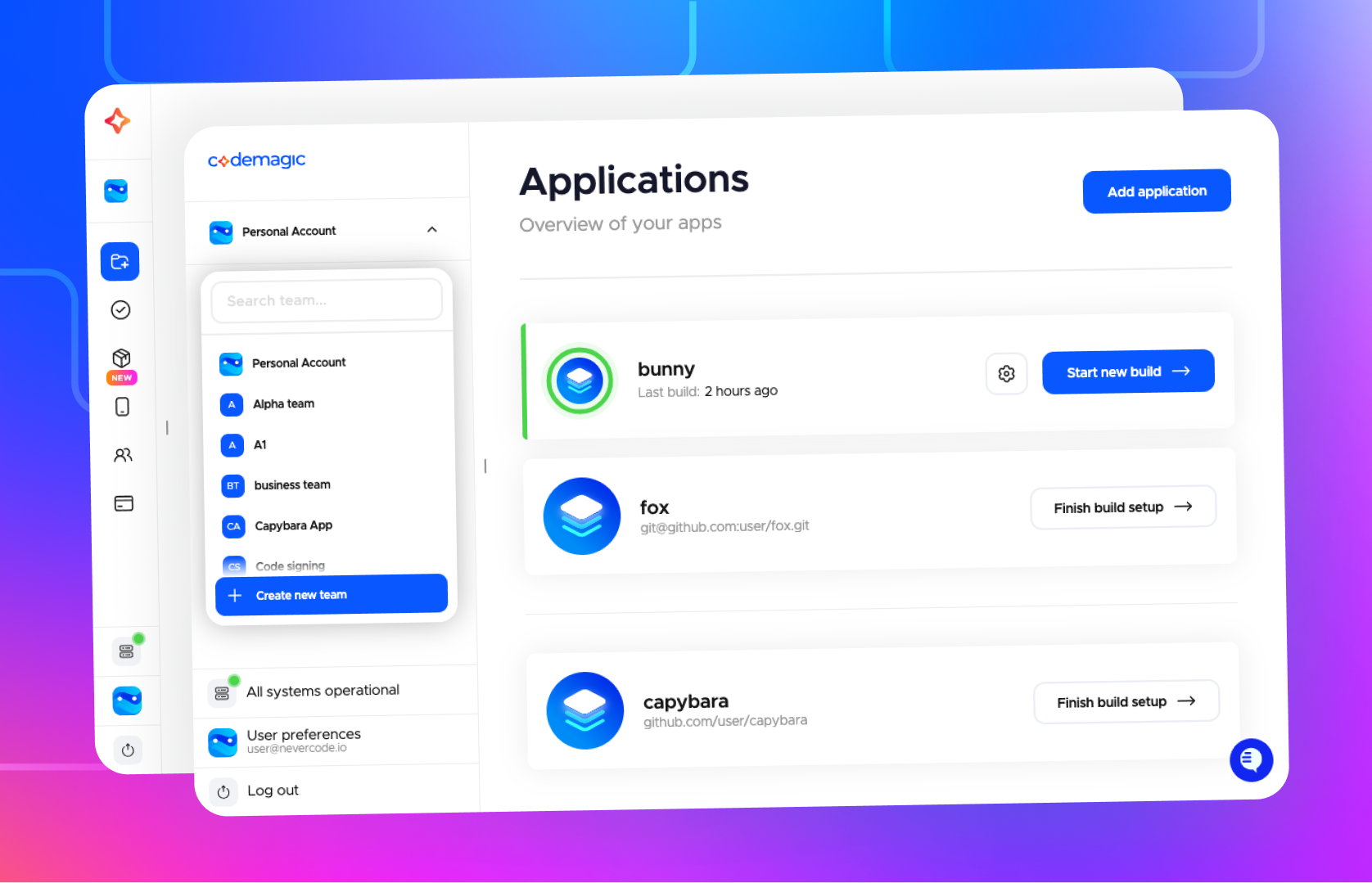
Improved app navigation

We’ve improved how personal and team apps are organized in Codemagic. You can now switch between your personal account and teams at the top of the page to see only the apps and resources relevant to that context, instead of viewing everything on shared pages.

This update provides a cleaner experience and faster page loading times.

February 2026

New builds API

We have introduced new /builds API endpoints that you can use in your scripts and integrations. See the API documentation here.

These endpoints now also serve our app frontend, delivering significant performance improvements compared to the old API—especially for teams with a large number of builds.

The new /builds endpoint is 71.2% faster and returns 98% smaller payloads.

Xcode 26.4

Xcode 26.4 is now available in Codemagic.

See the build version and machine specs in our documentation.

Xcode 26.3

Xcode 26.3 is now available in Codemagic.

See the build version and machine specs in our documentation.

January 2026

Deprecation of Ubuntu 20.04 and introduction of Ubuntu 24.04 as the new default starting February 23

To ensure that builds on Codemagic run with the highest levels of reliability and security, we are deprecating Linux build machines running Ubuntu 20.04.

Starting February 23, 2026, build machines running Ubuntu 20.04 will be removed from the pool, and Ubuntu 24.04 will become the new default for Linux builds.

During the transition period, we will conduct several brownouts during which builds will fail for users who have explicitly set 20.04 as the Ubuntu version in their codemagic.yaml. We strongly recommend migrating to Ubuntu 24.04 as soon as possible to avoid disruptions.

There will be no change for Flutter Workflow Editor users or for codemagic.yaml users who are using the default machine type until the default is switched. After that point, all Linux builds will run on Ubuntu 24.04.

See the brownout schedule and migration guide

React Native CodePush dashboard

React Native CodePush dashboard

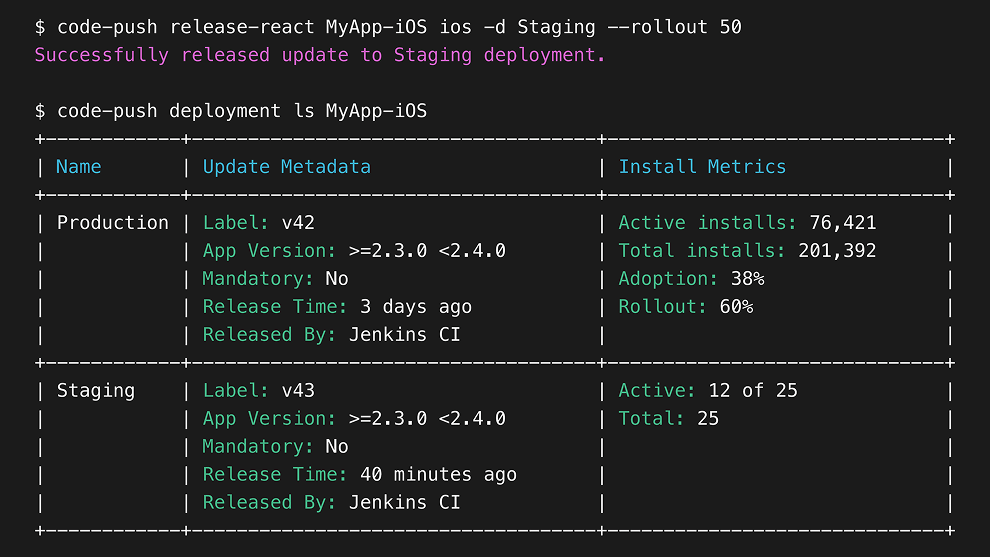
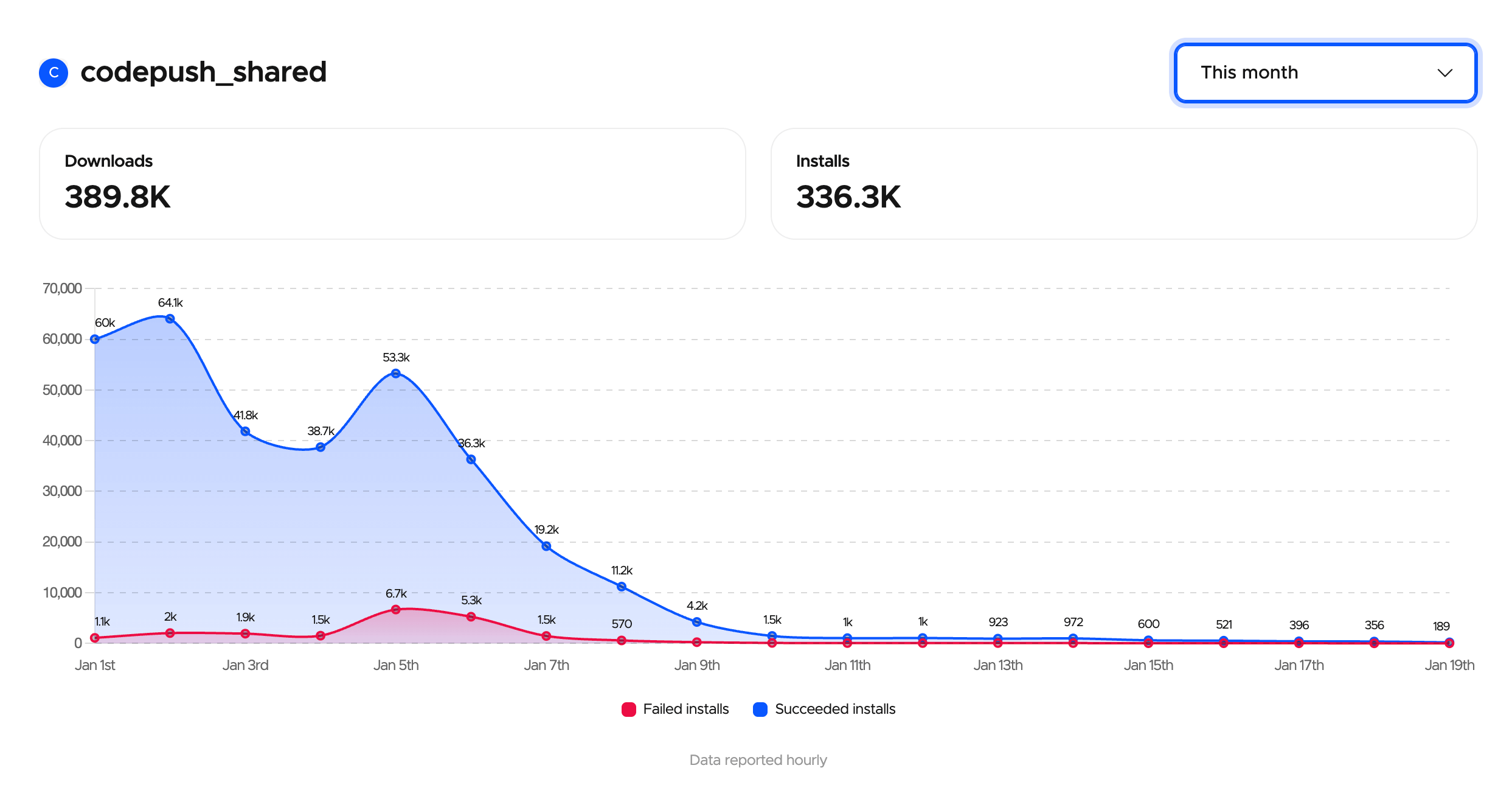
Customers using a CodePush server managed by Codemagic gain access to comprehensive analytics covering monthly usage and detailed deployment insights.

  • View monthly download and installation statistics
  • Track installation metrics for each update
  • Monitor adoption trends over time

Monthly usage statistics

Request access

Mac mini M4 now available on Pay as you go

You can now run your builds on Mac mini M4 for faster builds and improved performance. Select the machine in Flutter Workflow Editor or set mac_mini_m4 as the instance type in codemagic.yaml.

Mac mini M4 is available to teams and individual accounts on the Pay as you go plan.

View pricing page
December 2025

Xcode 26.2 will be default starting January 11

As of January 11, 2026, we are introducing the Xcode 26.2 build machines as our new default. Additionally, Xcode latest will be switched to 26.2.

Read more

Xcode 26.2

Xcode 26.2 is now available in Codemagic.

See the build version and machine specs in our documentation.

Xcode 26.1 will be default starting November 24

As of November 24, 2025, we are introducing the Xcode 26.1 build machines as our new default. Additionally, Xcode latest will be switched to 26.1.

Read more

Deprecation of Xcode 15.x machines

Starting November 10, 2025, we will remove the following build machines from our platform:

  • Mac machines running Xcode 15.0
  • Mac machines running Xcode 15.1
  • Mac machines running Xcode 15.2
  • Mac machines running Xcode 15.3
  • Mac machines running Xcode 15.4

Please migrate your workflows to Xcode 16.x or later.

See the brownouts schedule and migration guide here.

Xcode 26.1

Xcode 26.1 is now available in Codemagic.

See the build version and machine specs in our documentation.

Burstable concurrencies are available upon request

A flexible, cost-effective way to scale instantly and run more builds whenever you need them.
Monthly billing is calculated using the 95th percentile method.

  • Concurrency price above baseline: $50/concurrency
  • Concurrency price below baseline: $150/concurrency

See more on our pricing page.

Over-the-air updates for React Native apps

Over-the-air updates let you deliver React Native app updates directly to users’ devices without going through the app stores.

Codemagic provides a fully hosted and maintained CodePush server.

  • A drop-in replacement for App Center CodePush
  • Fastest CDN, unlimited bandwidth
  • Installation metrics in the app (coming soon)
Contact us

Audit log connector

Customers who require event logs for compliance or regulatory purposes can now sync Codemagic event logs to their own storage. This feature is available upon request.

Contact sales

Support for build inputs in tag builds

In addition to branch builds, you can now use customizable parameters in your codemagic.yaml workflows when building from a tag.

View docs

More powerful Linux machines

New Linux machine configuration with 16 vCPU and 64 GB RAM is available on annual plans.

Request access

Xcode 26.0

Xcode 26.0 is now available in Codemagic.

See the build version and machine specs in our documentation.

App Preview in iOS simulator or Android emulator

App Preview is an iOS and Android simulator that runs directly in Codemagic, right in the browser. Developers, QA, Customer Success, and Sales teams can instantly preview, test, and demo new app versions—no installs, no setup, and no devices required.

Share preview links with teammates, simulate different geolocations, and more!

Start free trial
Show older updates